Vibe hardware.
Describe the board you want. Your AI builds it from blocks that already power on.
- Added a flight MCU
- Added a 6-axis IMU
- Added a barometer
- Added power, 5 V to 3.3 V
- Added a microSD slot
- Added a USB-C connector
- Connected the IMU to the MCU over SPI
- Connected the barometer over I2C
- Connected the microSD slot over SPI
- Connected USB power to the regulator
- Connected the 3.3 V rail to the MCU
- Checked every connection
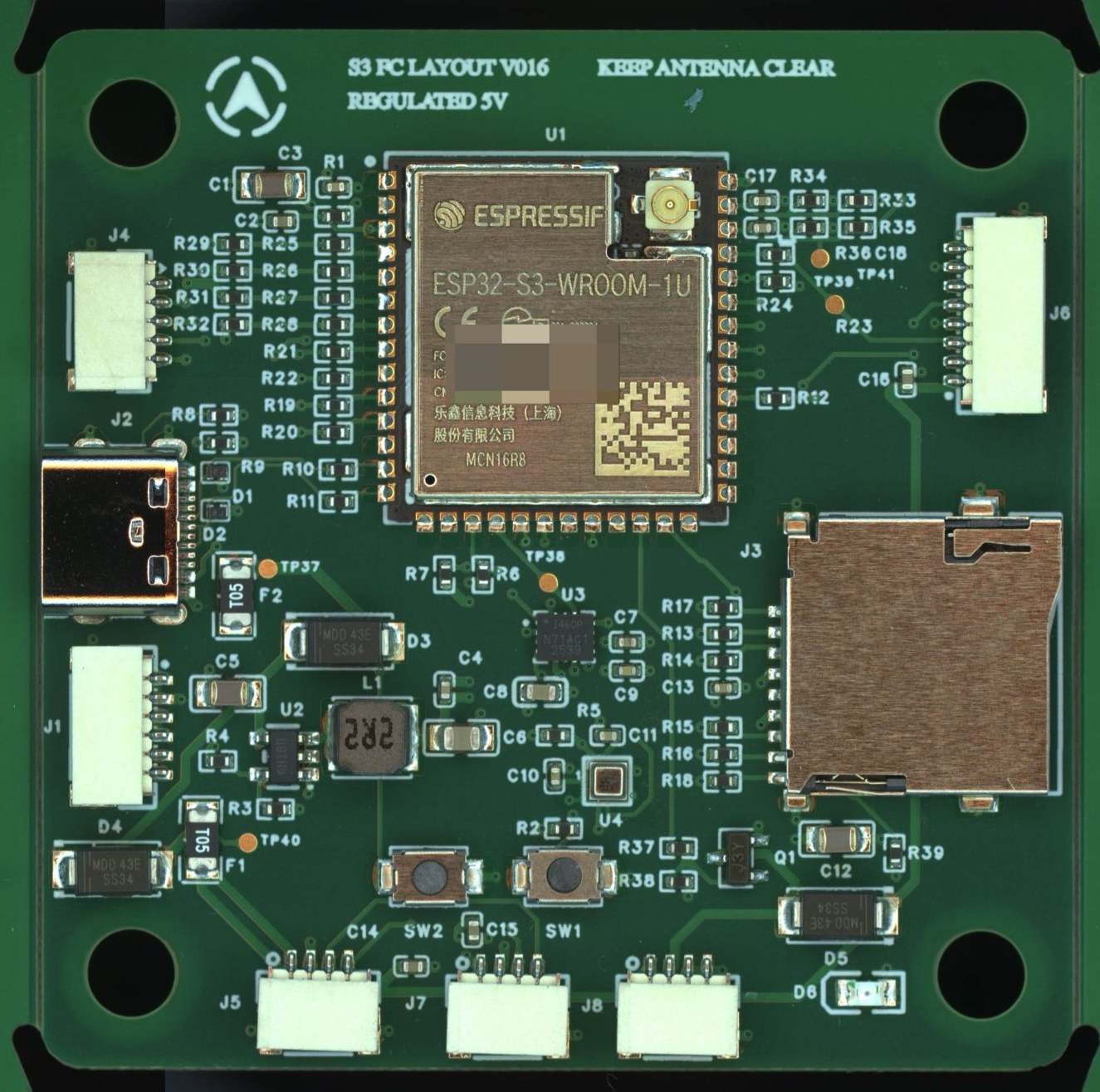
It already powers on.
Our first board is a PX4 flight controller based on the ESP32-S3, built from these blocks. This validation build was fabricated, assembled and powered on. A real board, not just a render.
| Firmware | PX4 |
|---|---|
| Processor | ESP32-S3 |
| Sensors | ICM-42670-P IMU, BMP581 barometer |
| Interfaces | 4 PWM outputs, RC, GNSS and camera ports, microSD, USB-C |
| Board | 55 × 55 mm, 4 layers |
| Stage | Validation build |
Your AI picks the blocks. We make sure they fit.
Anoda plugs into the AI you already use through MCP. It never draws traces from scratch, so far less can go wrong.
- 1
Describe what you need
In Claude Code, in plain words: sensors, interfaces, size, power.
- 2
Your AI composes verified blocks
It chooses blocks from the Anoda library and decides how they connect.
- 3
Anoda checks every connection
Voltage, current, bus addresses and required pins, then routing and manufacturing rules.
- 4
Order the board
Download fabrication files with a verification report, or order fabrication and assembly directly.
Why the boards power on.
Blocks keep their layout
The inside of each block is placed exactly as it was when we tested it. Routing only happens between blocks, like hard macros on a chip.
Type checks for hardware
Every port declares its voltage, current budget and protocol. Mismatches fail before anything is routed, and your AI gets an error it can fix.
Files any factory accepts
Standard fabrication outputs with real, purchasable part numbers, plus a report of every check the board passed.
The block library
Every block below is on a board that has been fabricated and powered on. The status shows how far each one has been tested on the bench.
| Block | Function | Ports | Tested on | Status |
|---|---|---|---|---|
| mcu-usb | ESP32-S3 main controller | SPI, I2C, 3 × UART, USB, 4 × PWM, 2 × ADC | PX4 flight controller, V016 R2 | Verified |
| power | Power input and 3.3 V regulator | 5 V in, 3.3 V / 2 A out | PX4 flight controller, V016 R2 | Partly verified |
| sensors-log | IMU and barometer | SPI, I2C, 3.3 V | PX4 flight controller, V016 R2 | Verified |
| usb-debug | USB-C with ESD protection, boot and reset buttons | USB 2.0, 5 V out | PX4 flight controller, V016 R2 | Verified |
| sd-log | microSD logging | SPI, 3.3 V | PX4 flight controller, V016 R2 | Verified |
| esc-output | Four motor outputs | 4 × PWM | PX4 flight controller, V016 R2 | Verified |
| external-io | RC, GNSS and camera ports | 3 × UART, I2C, PPS, 5 V | PX4 flight controller, V016 R2 | Not yet tested |
| sense-status | Battery sensing, buzzer and status LED | 2 × ADC, 2 × GPIO, 5 V | PX4 flight controller, V016 R2 | Not yet tested |
- mcu-usbVerifiedESP32-S3 main controllerPorts: SPI, I2C, 3 × UART, USB, 4 × PWM, 2 × ADCTested on: PX4 flight controller, V016 R2
- powerPartly verifiedPower input and 3.3 V regulatorPorts: 5 V in, 3.3 V / 2 A outTested on: PX4 flight controller, V016 R2
- sensors-logVerifiedIMU and barometerPorts: SPI, I2C, 3.3 VTested on: PX4 flight controller, V016 R2
- usb-debugVerifiedUSB-C with ESD protection, boot and reset buttonsPorts: USB 2.0, 5 V outTested on: PX4 flight controller, V016 R2
- sd-logVerifiedmicroSD loggingPorts: SPI, 3.3 VTested on: PX4 flight controller, V016 R2
- esc-outputVerifiedFour motor outputsPorts: 4 × PWMTested on: PX4 flight controller, V016 R2
- external-ioNot yet testedRC, GNSS and camera portsPorts: 3 × UART, I2C, PPS, 5 VTested on: PX4 flight controller, V016 R2
- sense-statusNot yet testedBattery sensing, buzzer and status LEDPorts: 2 × ADC, 2 × GPIO, 5 VTested on: PX4 flight controller, V016 R2
Design free. Pay when you build.
Exploring, composing and checking cost nothing. You pay when you take the files to a factory.
Free
- The full block library
- Compose and check designs
- One simple board export a month
Per board
- Gerber, BOM and pick-and-place files
- Verification report
- First power-on guarantee
Pro
- Monthly board exports
- Free revisions
- KiCad source files
First power-on guarantee
If a board built only from verified blocks does not power on because of its design, we fix it and pay for the next prototype run.
Build your first board.
Early access opens to the waitlist first, at a founding price.